
Topics can be displayed in any page or block-based template, using the Core WordPress Query Loop block.
While editing a page or template in the block editor, add the Query Loop block and on the next step select if you wish to Choose an existing pattern, or Start blank.
Now that the Query Loop is in place, while in the block’s settings:
- For the Query type option, select Custom.
- For the Post Type option, select Topic.
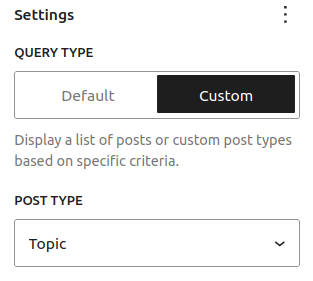
This way the block will display only your forum Topics.
You can further adjust the rest of the block settings, if necessary, and finally hit the Save button.